
Dental Twin
From scan to design
AI based dental prosthetic design on demand
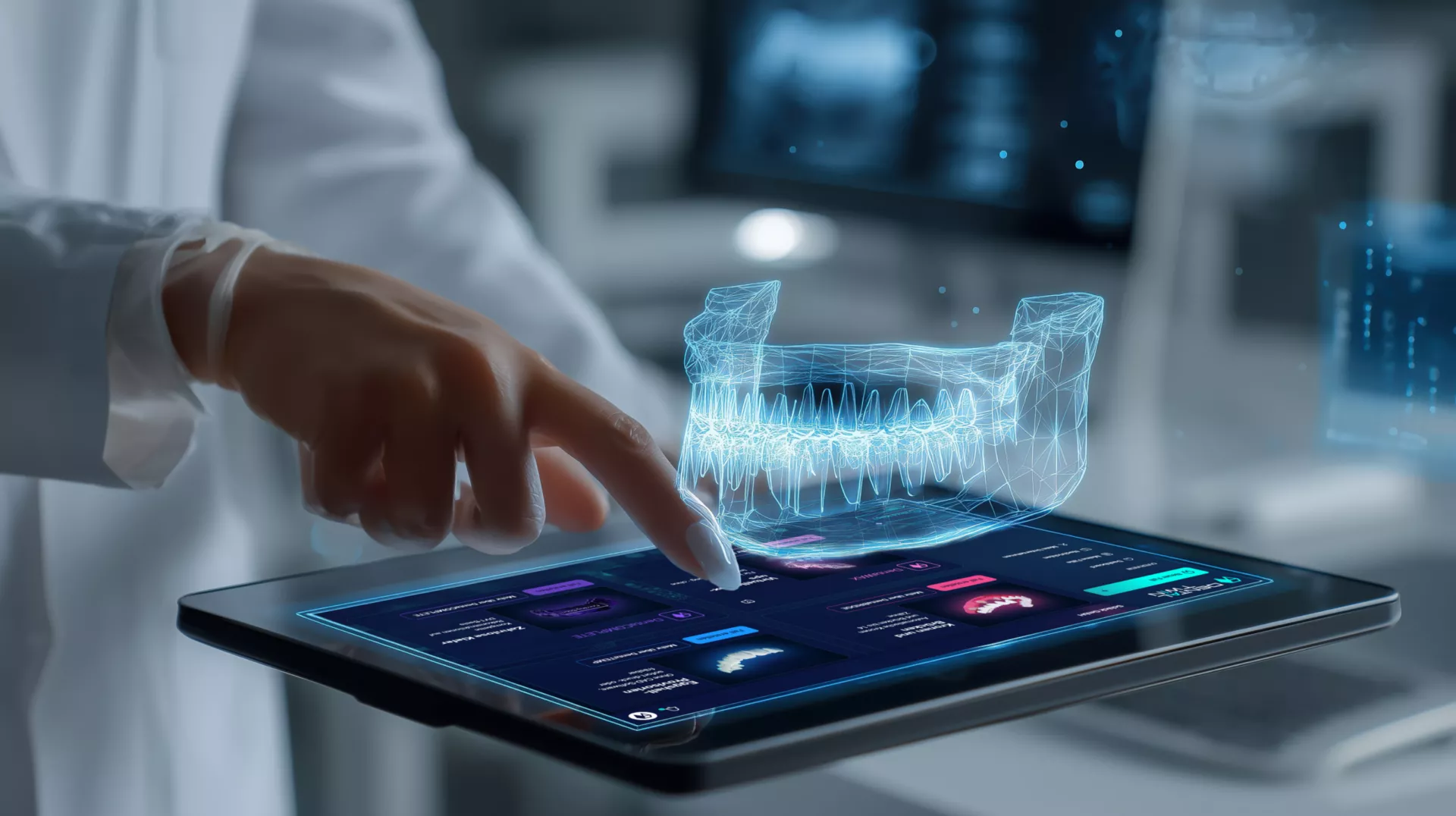
With DentalTwin, you can independently create dental designs in a fraction of the time using an intraoral scan. Whether as a chairside solution in your practice or to expand design capacities in your lab, DentalTwin lets you adapt to the market.
DentalTwin – AI-Powered Dental Prosthetics
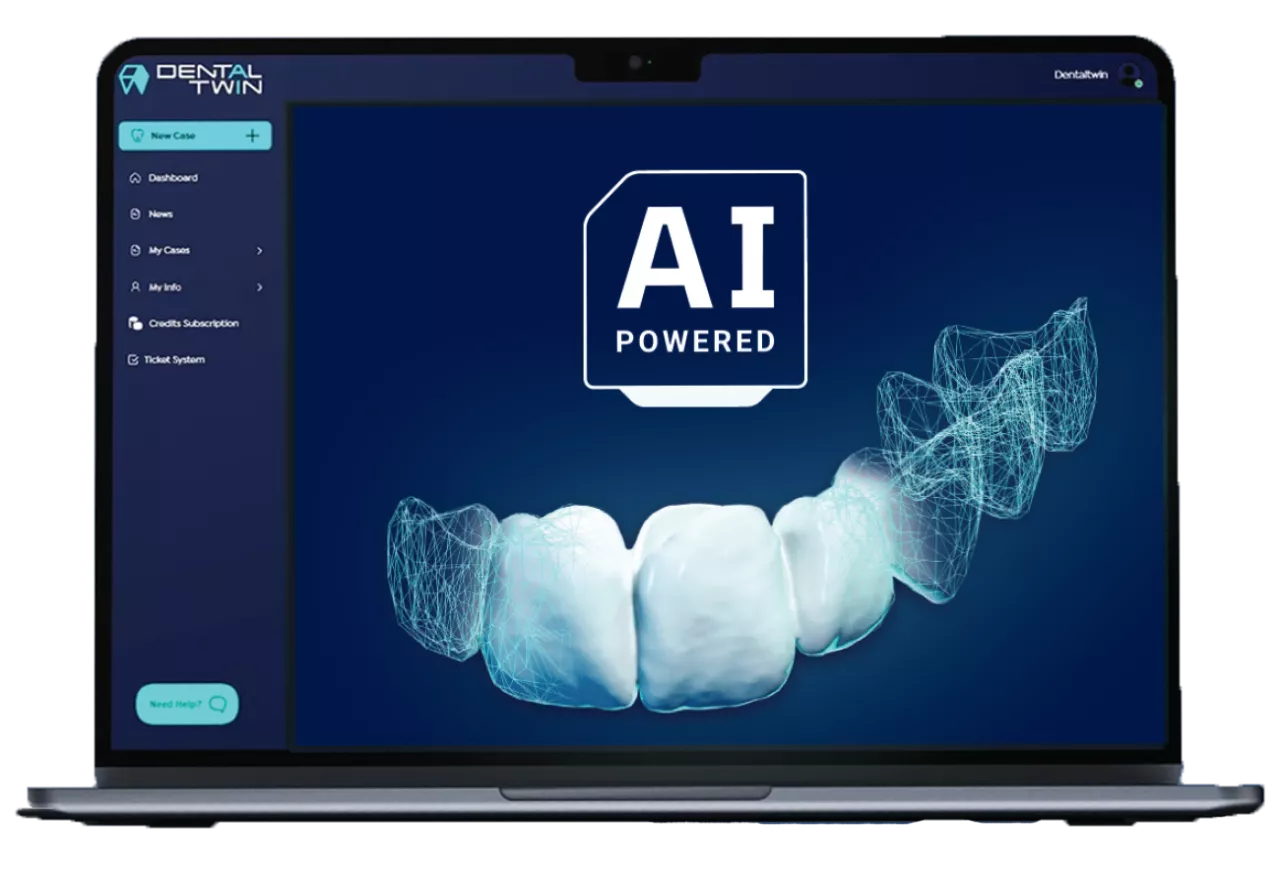
Conventional CAD systems often reach their limits, especially when dealing with larger gaps between teeth. DentalTwin helps you create even complex restorations efficiently, reliably, and with predictable results. This AI-based solution delivers reliable dental restoration designs, thereby increasing efficiency and productivity in your daily practice routine and supporting your team—without the need for investments in software or hardware and without any training time. Crown and bridge designs at the click of a button—right in your browser and for restorations with up to 14 units.
- Without software
- Without staff costs
- Cloud-based
- Pay-per-Use
Our Solution
DentalTwin is revolutionizing the manufacture of dental prosthetics with a fully automated AI workflow.
DentalTwin is fundamentally transforming the entire process structure in dentistry. A new era is dawning for laboratories, dental practices, and patients thanks to generative AI. With its patent-pending system (filed in the EU and the U.S.), DentalTwin replaces nearly all analog and partially digital steps with a fully automated workflow for complete jaw reconstructions.
Your Benefits - Fully Automated AI for Dental Prosthetics
Using generative AI, DentalTwin is the first to fully automate the tasks of tooth alignment, the individual anatomy of the teeth to be replaced, and the size of the teeth to be replaced through true automated “reconstruction” at the push of a button. Missing teeth are automatically reconstructed with high precision—based on an extensive database of healthy jaws. In this way, teeth “grow” back virtually—exactly as they originally stood and looked.
DentaBridge
Ready-to-use STL files for direct processing for printing or milling.
Mehr anzeigen
Weniger anzeigen
DentaBridge
Ready-to-use STL files for direct processing for printing or milling.
Crowns and Bridges
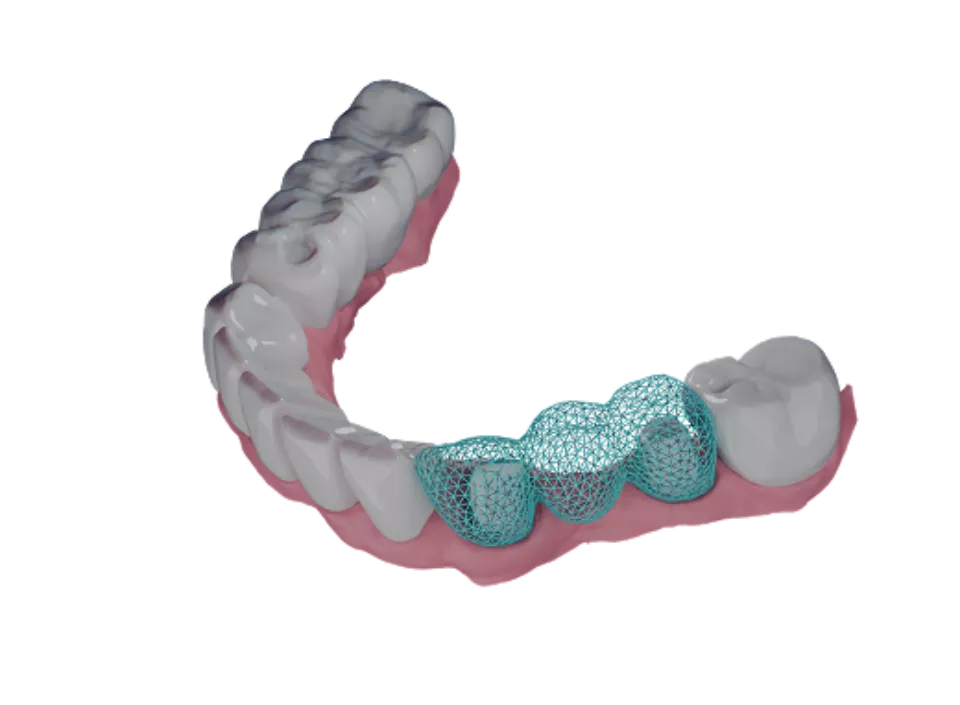
For the first time, it is possible to automatically generate crown and bridge designs for up to 12 teeth. Ready for printing or milling in just a few minutes: precise, consistent, and validated by a professional dental technician.
Delivered as an STL file that can be processed immediately. Print or mill directly.
DentaWAX
Our virtual wax-ups can be imported into any standard implant planning software. No more duplicate scans or time-consuming tooth arrangements. Just import them and start planning.
Mehr anzeigen
Weniger anzeigen
DentaWAX
Our virtual wax-ups can be imported into any standard implant planning software. No more duplicate scans or time-consuming tooth arrangements. Just import them and start planning.
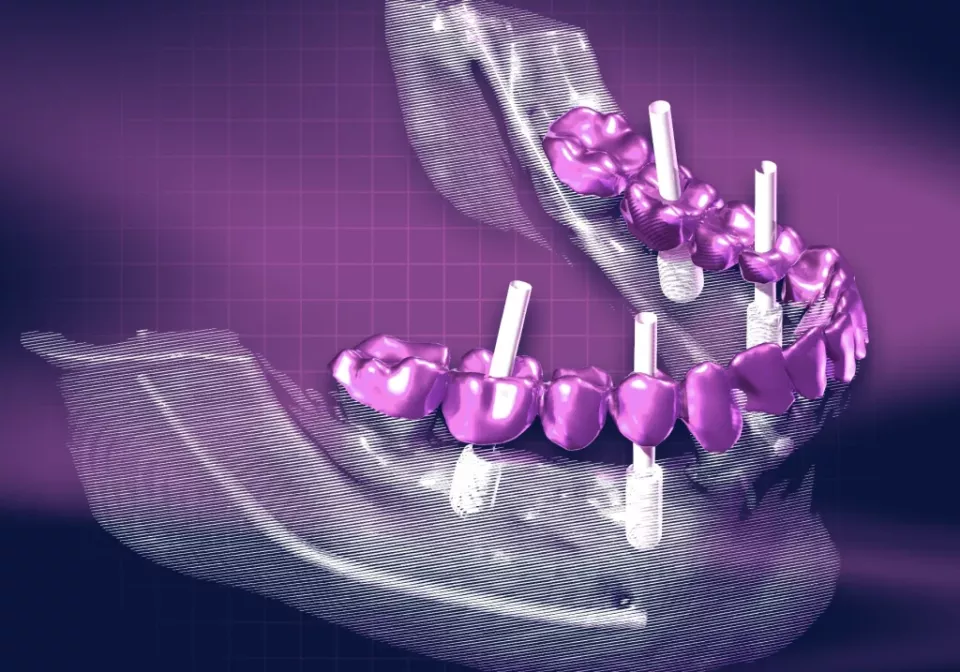
Guided by prosthetic considerations rather than planned at random
With DentaWAX, you can create a virtual wax-up for your implant planning as an alternative to digital setups or double scans of prostheses with X-ray markers, etc. Without having to wait for the wax-up to be completed, you can start your prosthetics-based implant planning right away in any planning software of your choice.
An anatomically sound, precise target for dentists, implantologists, and planning software.
Delivered as an STL file that can be imported directly into systems such as coDiagnostiX, Simplant, SMOP, etc.
DentaTemp
Temporary restorations made from eggshells, ready for direct printing or milling.
Mehr anzeigen
Weniger anzeigen
DentaTemp
Temporary restorations made from eggshells, ready for direct printing or milling.
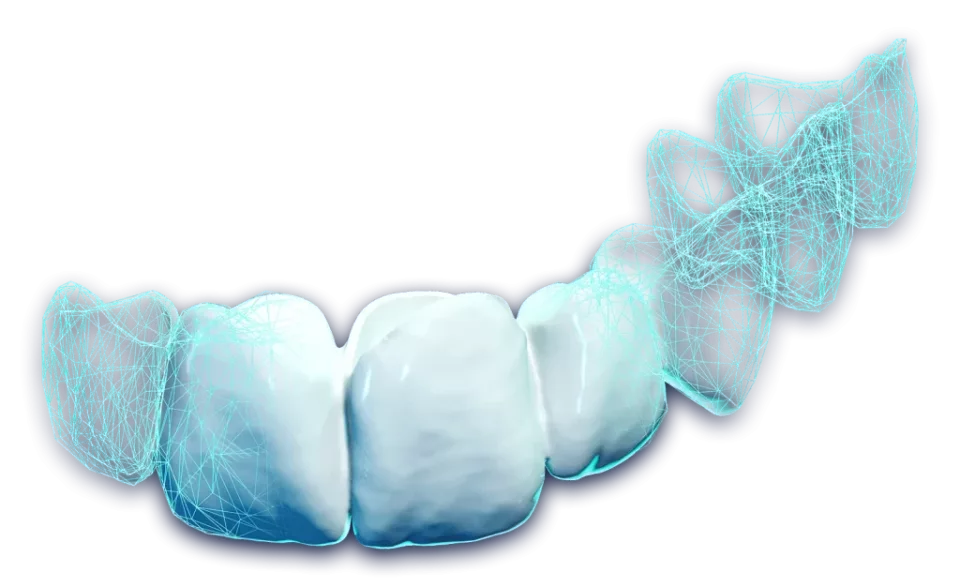
Temporary restorations without any detours. As a printable or millable file.
Select DentaTEMP, upload the scan, set the parameters, and mark the affected teeth. You will then receive a finished STL file ready for direct processing for printing or milling.
A custom-fit restoration with reduced try-in time.
Delivered as an STL file that can be processed immediately. Print or mill directly.
All DentalTwin applications on one platform—easy. efficient. precise.
FAQ
What is DentalTwin?
Overview
DentalTwin is a cloud-based, AI-powered platform for digital tooth arrangements, provisional restorations, and prosthetically driven implant planning.
We are revolutionizing dentistry with generative AI and striving to enhance quality and efficiency in prosthodontics through automation.
Powered by our innovative, patent-pending system (EU & USA), DentalTwin replaces nearly all analog and semi-digital procedures with a fully automated workflow for jaw reconstructions.
DentalTwin is transforming the entire process structure of dentistry, marking the dawn of a new era for laboratories, practices, and patients.
Our Offering
DentalTwin encompasses three core products:
DentaTemp – Thin-walled, preoperative provisionals (“eggshell temporaries”) for crowns and bridges.
DentaBridge – Digital tooth arrangements ready for import into CAD software to fabricate crowns, bridges, or veneers.
DentaWax – Prosthetically driven digital wax-ups for precise implant positioning.
These custom products are available through the DentalTwin web portal either via subscription or on a pay-per-use basis.
How It Works
Upload scans – Submit preoperative intraoral or model scans.
AI processing – Our generative AI reconstructs missing teeth automatically, with high precision and tailored to the individual patient.
Professional review – Every case is reviewed prior to release to ensure clinical validity.
Download files – Receive STL files ready for direct use in CAD/CAM or implant planning software.
How does DentalTwin integrate into existing CAD/CAM workflows?
Overview
DentalTwin provides open-format STL files that can be imported into any modern CAD/CAM software.
This means that AI-generated setups, wax-ups, and provisionals can be integrated directly into the design and manufacturing process—no additional conversions or proprietary viewers required.
Direct integration with Exocad
- DentalTwin is fully integrated into the Exocad software toolkit.
- STL outputs can be opened directly in Exocad for:
- Crown and bridge design
- Implant planning
- Temporary and final restoration design
- No additional file preparation or compatibility adjustments.
Compatibility with other platforms
DentalTwin STL files are Open source and compatible with:
- 3Shape
- Dental Wings
- Planmeca
- Sirona (inLab)
- Any software that accepts standard STL, PLY, or OBJ files.
Typical workflow
- Ordering and receiving the STL file from DentalTwin.
- Importing into CAD/CAM software (e.g., Exocad, 3Shape).
- Designing the final restoration, surgical guides, or temporary crowns and bridges.
- Manufacturing via 3D printing or milling, in-house or externally.
Benefits of integration
- No conversion delays—files are ready for immediate use.
- Universal compatibility—works with existing equipment and software.
- Faster turnaround time—from scan to design to production in fewer steps.
Do I need additional hardware or software to use DentalTwin?
Overview
No – no additional hardware or proprietary software needs to be purchased to use DentalTwin.
Our platform is cloud-based and works with your existing CAD/CAM systems.
Minimum Requirements
1. Digital Impression System
- Any intraoral scanner or model scanner capable of exporting files in STL, PLY, or OBJ format.
- Compatible with all major scanner brands (3Shape TRIOS, Medit, iTero, Carestream, Planmeca, etc.).
2. Computer & Internet
- Desktop or laptop with a modern web browser (Chrome, Edge, Safari, Firefox).
- Stable internet connection for file uploads/downloads.
3. CAD/CAM or Implant Planning Software (optional, but recommended)
- For post-processing, restoration design, or surgical guide planning.
- Compatible examples: Exocad, 3Shape, Dental Wings, Planmeca, coDiagnostiX, SMOP, Simplant.
No Special Hardware Required
- No milling machine purchase required – you can outsource production to a lab.
- No 3D printer required – although an in-house printer accelerates provisionals and mock-ups.
Why This Matters
- Immediate Start – Register and submit cases the same day.
- Low Investment – Leverage your existing hardware and software.
- Scalable – Start small and expand your digital capabilities over time.
Does DentalTwin Replace My Dental Technician?
Overview
No – DentalTwin does not replace your dental technician.
Instead, it enhances the workflow by providing fast, AI-assisted digital tooth setups that your technician can refine and use as a foundation for final restorations.
How DentalTwin and Technicians Work Together
1. AI Processing Accelerates Repetitive Steps
- DentalTwin generates accurate digital wax-ups within hours.
- This eliminates the need for technicians to manually model or set up every case.
2. Technician Review Ensures Quality
- Every AI-generated output is reviewed by a qualified technician before being marked as “Complete.”
- This ensures the result is clinically valid and ready for professional use.
3. Technician Value Is Elevated
- With repetitive steps handled by AI, technicians can focus on:
- Advanced aesthetics
- Functional refinements
- Specialized treatment planning
4. Collaboration, Not Replacement
- DentalTwin is a tool for efficiency, not a substitute for human expertise.
- The final prosthetic workflow still requires technical skill and artistry.
Benefits for the Technician-Clinician Team
- Faster turnaround times for cases.
- Greater consistency across digital wax-ups.
- More time for technicians to focus on complex or artistic tasks.
Summary
DentalTwin is designed to work alongside your dental technician, not replace them.
By combining AI efficiency with technician expertise, you achieve the best of both worlds: speed, precision, and human artistry.
Can I see examples of DentalTwin results?
Overview
Yes – you can see examples of AI-generated results created with DentalTwin.
We provide sample cases and demonstration materials so that you can evaluate the accuracy, aesthetics, and clinical applications before submitting your own cases.
Where to find examples
1. DentalTwin Website
- Visit dentaltwin.com to view before-and-after case images.
- Dedicated product pages show examples of Shell Temp Design, CAD Design Setup, and Implant Planning Setup.
2. Help Center & Tutorials
- Selected case examples are embedded in our tutorial videos and onboarding articles.
- GIFs and screen recordings show the workflow step-by-step.
3. Request Test Cases
- New users receive 3 free test cases.
- You can upload a test case and review the full STL file result before deciding on regular use.
4. Training & Webinars
- DentalTwin occasionally hosts webinars and workshops where real cases are presented.
- Recordings are available upon request.
What the examples show
- STL file previews – tooth restoration in 3D.
- Before/After comparisons – original scan vs. AI-designed result.
- Clinical applications – temporary shells, CAD imports, and implant planning setups.
Why this is important
- Helps professionals build confidence before adoption.
- Provides patients with visual evidence of the expected results.
- Demonstrates how DentalTwin is integrated into existing workflows.
How AI Processing Works in DentalTwin
Overview
DentalTwin is an AI-powered platform for digital dentistry. It uses advanced algorithms trained on over 500,000 clinical cases to automatically reconstruct missing teeth and create precise digital setups for prosthetic, CAD, or implant planning workflows.
Our process combines AI automation with human quality control to ensure accurate, clinically relevant results.
Step 1: Upload Your Scans
- You begin by submitting an intraoral scan or model scan via the New Case feature.
- For full-arch cases, at least two remaining teeth per jaw are required for AI reference.
- Supported file formats: STL, PLY, OBJ.
Step 2: AI Reconstruction
- The AI detects anatomical landmarks on remaining teeth and gingiva.
- Missing teeth are digitally reconstructed based on optimal anatomy and occlusion.
- For prosthetic planning, the AI defines the final tooth position (backward planning) prior to implant placement.
Step 3: Digital Setup Generation
- The AI creates a virtual wax-up or eggshell design depending on the selected product.
- The output is generated as an open STL file that can be imported into any CAD or implant planning software.
Step 4: Technician Review
- Every case marked as completed has been reviewed by a DentalTwin technician.
- The technician checks fit, anatomy, and overall design accuracy prior to approval.
Step 5: Download Your Results
- Once approved, your case transitions to “Completed” status.
- You can unlock it using credits or free cases.
- STL files are available for 3D printing, milling, or digital planning workflows.
Why Scan Quality Matters
- Incomplete scans, faulty bite registration, or missing reference teeth can reduce AI accuracy.
- Fully edentulous arches without pre-extraction scans are not yet supported for automated results.
Turnaround Time
- Standard cases are processed within minutes to hours.
- Complex or flagged cases may require additional time for refinement.
Summary of Benefits
- Speed – minimal manual intervention means faster turnaround.
- Accuracy – AI is trained on extensive clinical data for high precision.
- Flexibility – output is compatible with all major CAD/CAM and implant planning platforms.
- Efficiency – saves up to 60% chair time and 70% material costs compared to traditional workflows.
How quickly can DentalTwin be integrated into my workflow?
Overview
DentalTwin is designed for fast, straightforward onboarding.
Since it is entirely cloud-based and outputs open STL files, you can begin using it in your existing workflow the same day you register.
Typical Integration Timeline
Day 1 – Account Setup
- Register at dentaltwin.com.
- Confirm your email and log in to the DentalTwin portal.
- Familiarize yourself with the dashboard and the case creation process.
Day 1–2 – Initial Test Cases
- Upload your first case with preoperative scans.
- Receive your first AI-generated result within hours.
- Review and download the STL file for the try-in in your CAD/CAM system.
Day 2–3 – Workflow Integration
- Import DentalTwin STL files directly into your preferred CAD/CAM or implant planning software.
- Print or mill a test restoration or a surgical guide.
Day 3–5 – Full Case Deployment
- Start using DentalTwin in actual clinical cases.
- Benefit from shorter turnaround times and fewer manual steps.
Why Integration is So Fast
- No proprietary hardware or software required – works with your existing setup.
- No additional training required – intuitive case submission process.
- Instant compatibility – STL files work on all major CAD/CAM platforms.
Tips for a Smooth Start
- Start with 1–2 test cases to familiarize yourself with the process.
- Use your three free cases for testing before deciding on regular use.
- Maintain open communication with DentalTwin Support for best practices.
Who Can Use DentalTwin?
DentalTwin is specifically designed for dental professionals and dental laboratory technicians involved in treatment planning for implant prosthetics.
Eligible users include:
- Dental technicians
- Implantologists
- General dentists performing surgery
- Oral and maxillofacial surgeons
- Practices focused on immediate implant placement or digital workflows
Note: Cases involving long-span bridges require at least two remaining teeth per arch (prior to extraction).
"The digital workflow not only makes your work easier, but also significantly faster."
Gerhard Zimmermann
Your point of contact for DentalTwin and your digital workflow.